


How to Buy on Walmart from Russia
You can buy on Walmart on your own: register on walmart.com, enter your Pochtoy warehouse address from your personal account as the delivery address, fill in the billing address as a mixed type, and pay with a foreign card or via PayPal. If the payment doesn't go through – we'll help with purchasing it for you.
What to buy on Walmart
Walmart – one of the largest hypermarket chains in the USA, where you can find literally everything: from electronics and clothing to toys and cosmetics. Especially popular with our users are electronics, children's goods, clothing for the whole family and skincare cosmetics – prices are often lower than in Russia and other CIS countries. We explain how to order from Walmart easily and profitably through the Pochtoy service.

Many buyers from Russia and other countries often ask: can you order from Walmart with direct delivery to Russia and other countries? The answer is simple - you can, but the store is picky about addresses and payment, so we advise following the instructions we have posted below.
How to place an order on Walmart
1. Register on Walmart.com
Registration on Walmart is of the classic type - you need to fill in your personal data (first and last name in Latin letters, personal email and password).
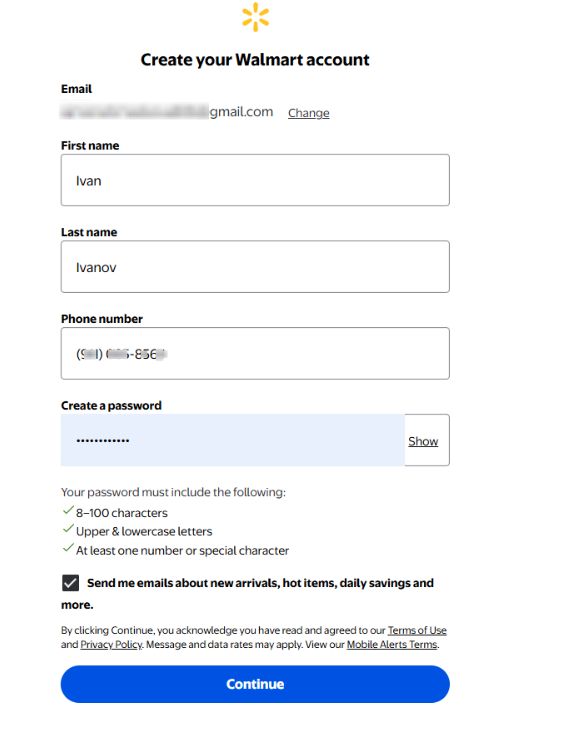
2. Add a delivery address
After logging in to your account, go to the Account → Addresses → "Add new address" section. In the address book you need to fill in the Shipping address, i.e. the delivery address - every client receives it after registering on our website.
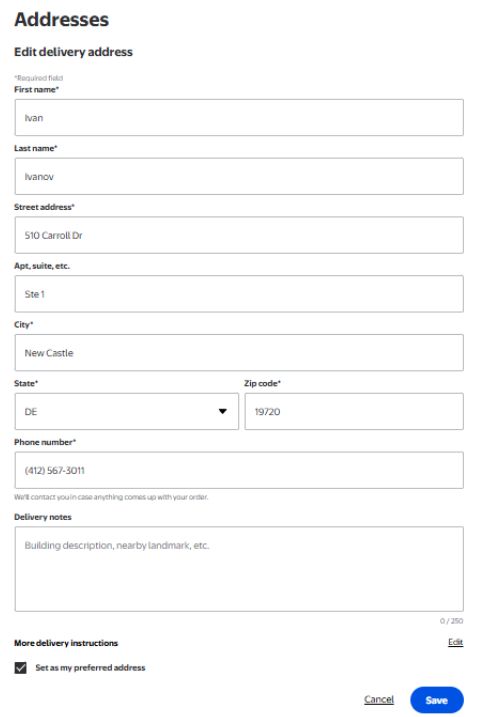
After that, you need to check the entered address and create another one, which will later be used as the Billing address. In this case, treat the process carefully: the filling scheme is the mixed type of Billing address (you can read more about it here). When filling it in, enter the real card address details, except for the country, state and ZIP code.
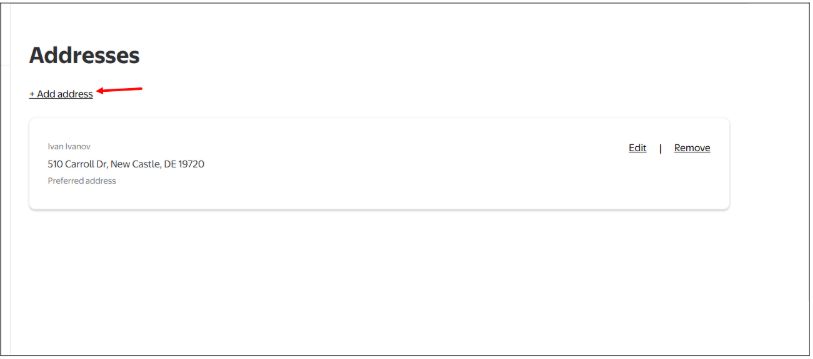
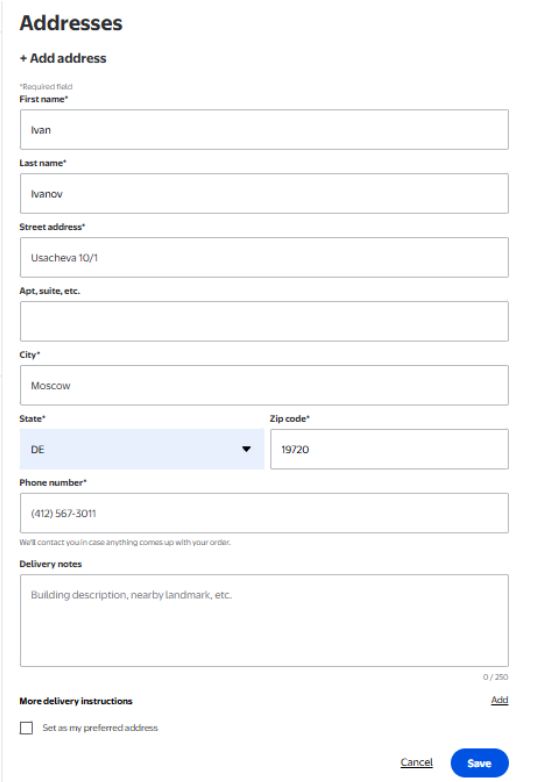
3. Add a payment method
The next step in filling in your personal data is the payment details. Fill in all the card data, and be sure to select exactly the address that was entered as the Billing address, i.e. the mixed type.
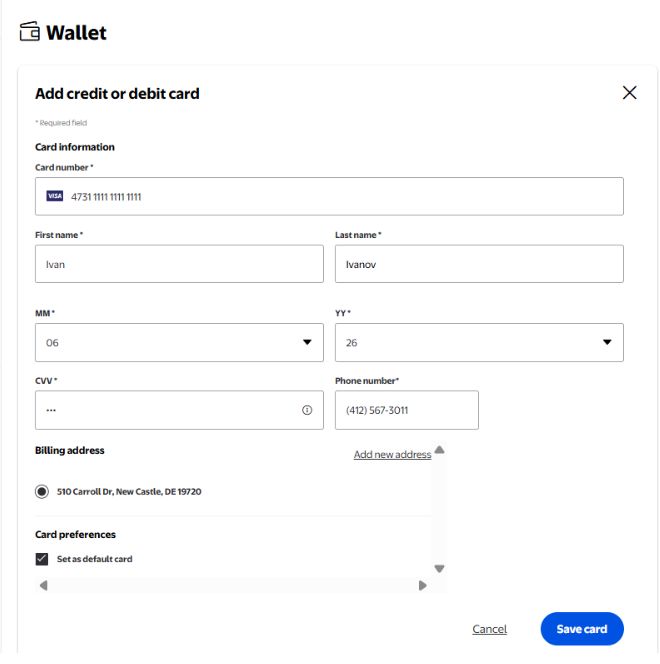
Note that the store is quite picky about accepting payments from foreign customers, so if the card payment doesn't go through (we recommend paying with a dollar card so that, if the order is canceled, there are no losses from the exchange rate difference), you can try paying for the order via PayPal.
Then the principle is simple - after choosing the item you need, we put it in the cart and proceed to the step-by-step checkout.
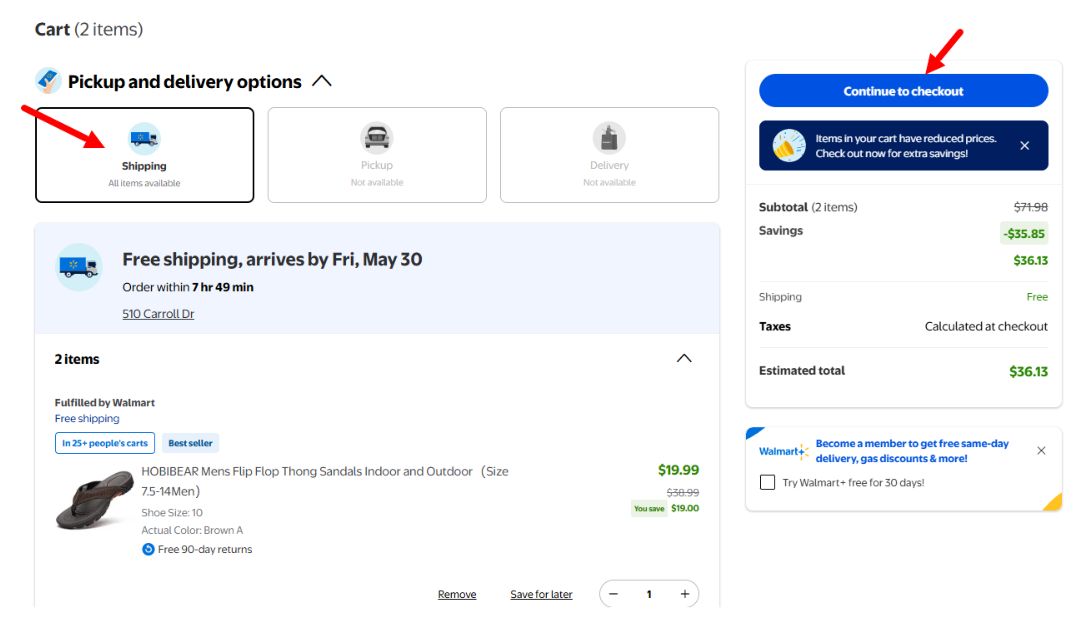
In Shipping and pickup options, we choose the first option, i.e. Shipping.
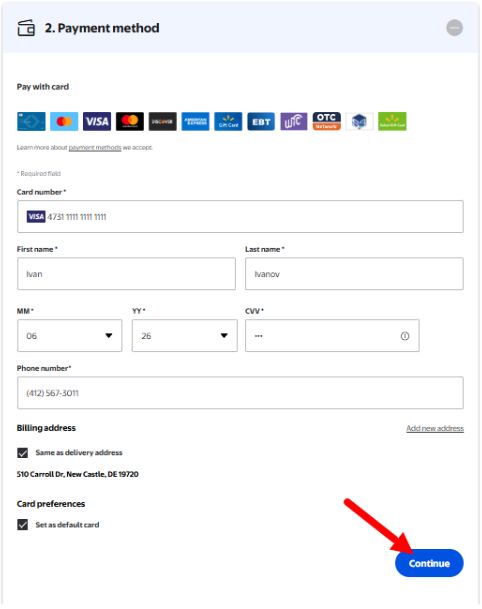
For the delivery address, use the warehouse address issued by us
In the payment details, we select the previously entered card, or by clicking the More button, we select PayPal.
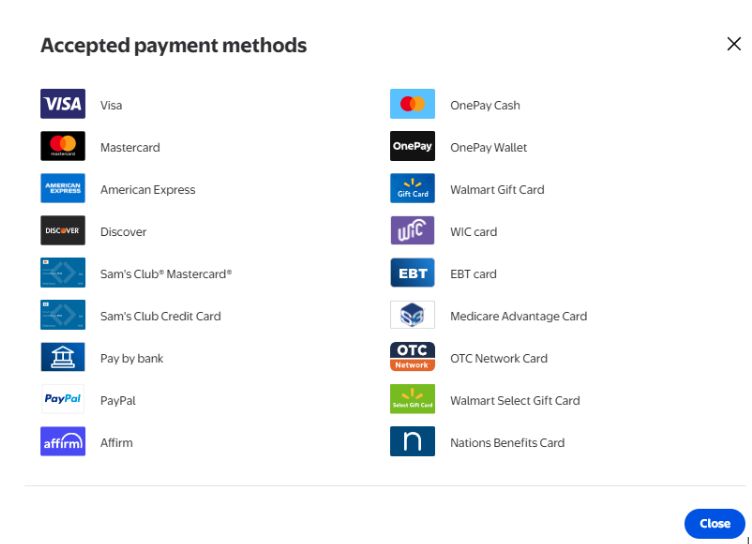
After checking all the data once more, we confirm the order.
If for some reason you still can't place an order on Walmart on your own - we are always ready to help with purchasing through the «Purchase Assistance» service.


